Urban AI Image Prompts for City & Street Looks
Urban AI image prompts turn an ordinary photo into a city scene. This category collects copy-paste style prompts built around neon-lit streets, weathered concrete, and busy sidewalks — City Lights, Graffiti Wall, Industrial Edge, Rooftop View, Street Style, and Subway Scene. Each one defines a look you apply to your own photo or idea, then run inside the Createawity editor to see it come out your way.
These are starting points, not one-click filters. Pick a prompt like Rooftop View for a skyline backdrop or Subway Scene for underground grit, click Use this prompt, and it loads into the editor. Sign in free — every new account gets 3 credits that never expire — and run it on your image. Outputs are AI-generated, so results vary between runs. Tweak the wording and rerun until the city look lands.

City Lights
City lights portrait, downtown nightlife, urban glow, metropolitan vibes, night city energy

Graffiti Wall
Graffiti wall portrait, urban art background, street art vibe, colorful murals, city culture

Industrial Edge
Industrial setting portrait, raw urban aesthetic, warehouse vibes, gritty city texture

Rooftop View
Rooftop portrait with city skyline, urban overlook, metropolitan background, elevated perspective
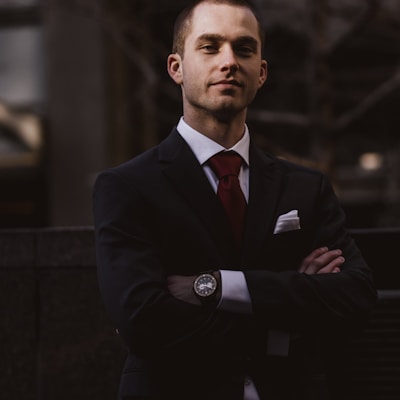
Street Style
Street style portrait, urban fashion, city background, contemporary style, modern street vibe

Subway Scene
Subway station portrait, underground city, metro aesthetic, urban transit vibes, gritty realism
Tips for Urban prompts
- Start from the prompt that matches your subject — Street Style for people, Industrial Edge or Graffiti Wall for backgrounds — then adjust the wording to fit your photo.
- Run the same prompt two or three times. Outputs vary between runs, and small edits (like swapping daylight for neon night in City Lights) change the result.
- Upload a clear, well-lit source image. The urban style layers over your photo, so sharp input gives the AI more detail to work with.
Urban prompts — FAQ
What are Urban AI image prompts?
They are curated, copy-paste style prompts that give your images a city look — neon lights, concrete, rooftops, subways. You apply one to your own photo or idea in the Createawity editor instead of using it as a fixed filter, so every result is your own.
Do I need to pay to use them?
No. Using a prompt is free to try — create an account and you get 3 credits that never expire. Each run uses a credit; when you want more, extra credits come in INR packs. Prompts are starting points, and outputs vary between runs.