Enhancement AI Image Prompts to Refine Your Photos
Enhancement AI image prompts help you clean up and lift a photo you already have. This category collects copy-paste style prompts like Portrait Retouch, Face Glow, HDR Enhancement, Sharpen Details, Color Pop, and Background Blur. Each one defines a specific look you apply to your own image. Click Use this prompt and it loads straight into the Createawity editor, ready to run on your photo.
These are starting points, not one-click filters. Portrait Retouch smooths skin and evens tone. Sharpen Details brings out edges. Background Blur pushes focus onto your subject. Results are AI-generated, so they vary between runs and reward small tweaks. Signing in is free, and every new account gets three credits that never expire. Pick a prompt, add your photo, and see how it reworks the image.
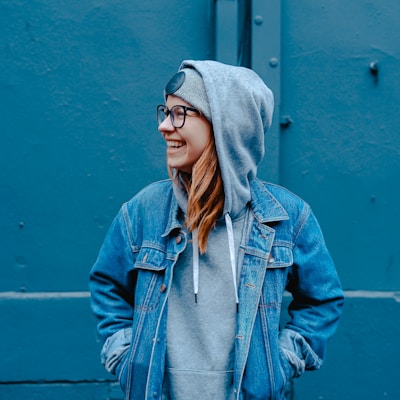
Background Blur
Background blur with depth, professional bokeh effect, subject isolation, cinematic depth of field
Color Pop
Vibrant color enhancement, saturated tones, dynamic range, cinematic color grading
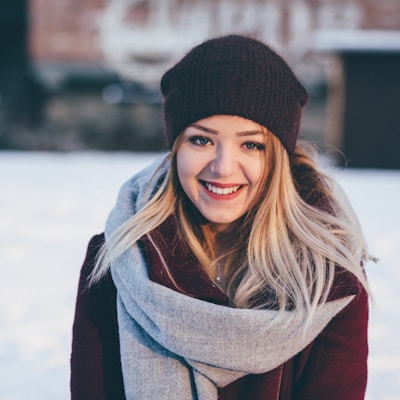
Face Glow
Glowing skin effect, radiant complexion, soft focus glow, ethereal beauty, luminous enhancement
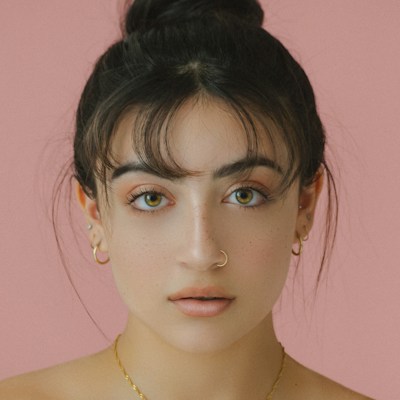
HDR Enhancement
HDR enhancement with vibrant colors, improved contrast, enhanced details, professional color grading

Portrait Retouch
Professional portrait retouching, smooth skin, remove blemishes, natural beauty enhancement

Sharpen Details
Ultra sharp details, enhanced clarity, crisp edges, professional sharpening, crystal clear quality
Tips for Enhancement prompts
- Start with a high-resolution photo. Prompts like Sharpen Details and HDR Enhancement have more to work with when the source is clean.
- Run a prompt more than once. Outputs vary between runs, so a second or third pass often lands a better result.
- Build the look in steps. Try Portrait Retouch first, then Color Pop or Background Blur, editing one change at a time.
Enhancement prompts — FAQ
Are these enhancement prompts filters I apply in one click?
No. They are text style prompts. You click Use this prompt to load one into the Createawity editor, then run it on your own photo. The output is AI-generated and varies between runs, so it is a starting point you can adjust, not a fixed filter.
Do I need to pay to use Enhancement prompts?
Signing in is free, and every new account gets three credits that never expire. Each run uses credits, so once your free credits are spent you can top up with credit packs priced in INR. There is no unlimited free plan.