Professional AI Image Prompts for Headshots & Portraits
Professional AI image prompts turn an ordinary photo into a polished, work-ready portrait. This category collects copy-paste style prompts for the looks people actually need: a clean Corporate Headshot, a confident Executive Portrait, a sharp LinkedIn Profile shot, and controlled Studio Portrait lighting. Each prompt defines the styling, framing and mood, so you get a consistent professional look without booking a photographer or setting up gear.
Every prompt here is a starting point, not a one-click filter. Load one into the Createawity editor, apply it to your own photo or idea, and run it. Outputs are AI-generated and vary between runs, so try a few passes to land the framing you want. Reach for the Magazine Cover prompt when you need editorial drama, or the Corporate Headshot when you want something clean and neutral.
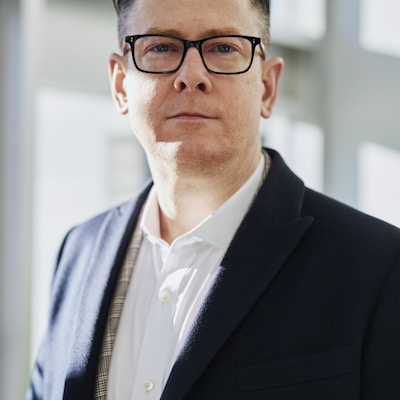
Corporate Headshot
Corporate headshot with professional lighting, clean background, business attire, confident expression
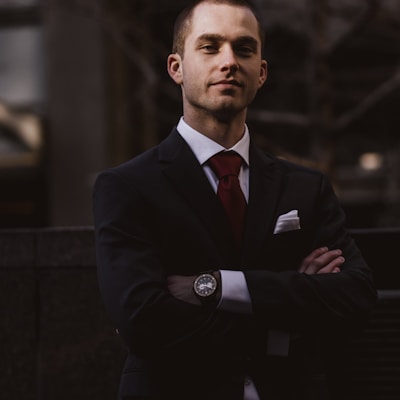
Executive Portrait
Executive portrait with authority, confident posture, premium lighting, corporate elegance, leadership presence
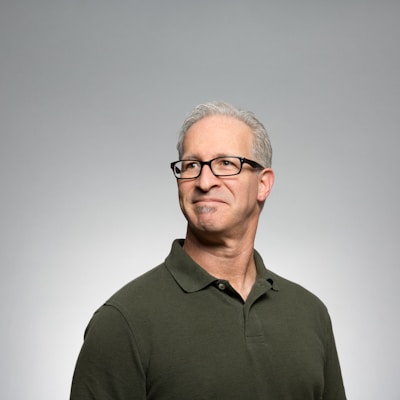
LinkedIn Profile
LinkedIn profile photo, approachable expression, business casual, clean background, professional branding

Magazine Cover
Magazine cover style, editorial lighting, fashion photography, high-end retouching, dramatic look
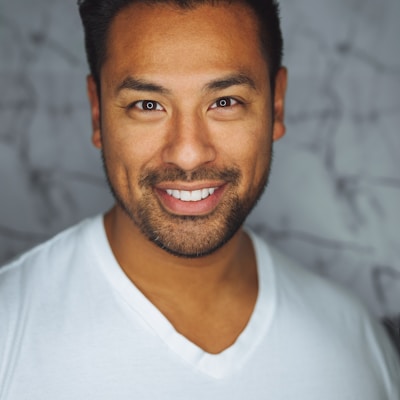
Studio Portrait
Professional studio portrait with soft lighting, natural skin tone, sharp details, professional photography
Tips for Professional prompts
- Start from a clear, well-lit photo of your face. Sharp, front-facing input gives prompts like Corporate Headshot and Studio Portrait more to work with.
- Match the prompt to the use. Pick LinkedIn Profile or Executive Portrait for neutral business looks, and Magazine Cover when you want editorial impact.
- Run each prompt two or three times and keep the best frame. Outputs vary between runs, so the second pass is often the stronger one.
Professional prompts — FAQ
How do I use a professional AI image prompt?
Click 'Use this prompt' on any card and it loads into the Createawity editor. Sign in (free, and every new account gets 3 credits that never expire), apply the prompt to your own photo or idea, then run it.
Are these prompts free to run?
Every new account gets 3 free credits that never expire, so you can try prompts right away. Beyond that, extra credits come in INR packs. Prompts are starting points and outputs are AI-generated, so results vary between runs.